Tampilkan postingan dengan label Tips Trick. Tampilkan semua postingan

When my friend at home has more than one computer, and each computer to connect to one so I could lainnnya sharing data, printers, Internet connection sharing, etc., we could do with a computer network LAN (Local Area Network) simple ..

If the posts are then used ad hoc wireless connections, in post, this time we use a cable connection that is using a data cable UTP (unshielded twisted pair), which is standard cable to the LAN network connection.
Computers are used at present are already equipped with LAN Card or also known as NIC (Network Interface Controller), or Ethernet Card.

• If the number of computers that will connect only two, we are only enough to provide one with a length of UTP cable according to the distance between the computer at both ends of the cord has been fitted with RJ-45 connector (standard connector for UTP LAN cable) to the configuration Cross / cross.

• If the number of computers that will connect more than 2 pieces, then we must add a device called Switch or Hub. At this time the price of a switch to standard housing is very affordable.
Of each - each computer connected to the switch using UTP cable with RJ-45 connectors on both ends with a configuration Straight / straight.
• Installation of connectors on UTP cable can be made yourself, but to simply stay mate just go to a computer store that also provides network equipment, and living told to buy a pair UTP cable connector all the configuration of cross / cross to connect the computer to the computer (two computers ), or straight / straight to connect more than 2 computer / use switch.

Configuring the IP address (Internet Protocol / TCP IP)
To be able to communicate with each other, respectively - each computer must be alamai IP

Control Panel -->Network Connection )" onmouseover="this.style.backgroundColor='#ebeff9'" onmouseout="this.style.backgroundColor='#fff'">• Go to Network Connection (Start -> Control Panel -> Network Connection)
• Select / double-click Local Area Connection
• Double click on Internet Protocol (TCP / IP)
• Click Use the following IP address, and fill out an IP address and Subnet Mask
For example,
komputer1 IP Address: 192.168.0.1
komputer2 IP Address: 192.168.0.2
komputer3 IP Address: 192.168.0.3
komputer4 IP Address: 192.168.0.4
etc. ..
Must be the same Subnet Mask: 255.255.255.0

To determine success or failure of connection do the ping command from one computer to another computer
Example from komputer1 to komputer2:
Klik Run-->ketik CMD --> klik OK, maka akan tampil Command Prompt" onmouseover="this.style.backgroundColor='#ebeff9'" onmouseout="this.style.backgroundColor='#fff'">• In Komputer1: Click Start -> Click Run -> type CMD -> click OK, then will appear Command Prompt
• Type in ping 192.168.0.2 hit enter
Reply from there must komputer2
• Perform the same command to find a connection to another computer.

If your computer is connected friends either wireless networks or using a cable (see previous article Creating a simple computer network, the Inter Make Laptop Wireless Connection), in addition to sharing data, printers, internet connections, we also can do Remote Desktop.
With Remote Desktop you can see another computer screen (which diremote) same as in the original computer, and we can make orders in accordance with what we want.
For example computer A and computer B. We want the computer to do a remote desktop by the user of the computer B. (A computer controlled by the user on the computer B).

Settingnya following ways
Because the goal for meremote computer A, so we only need to set the computer A.
user account), yang akan digunakan untuk remote desktop user" onmouseover="this.style.backgroundColor='#ebeff9'" onmouseout="this.style.backgroundColor='#fff'">1 • Specify the user name (must be berpassword), if not please create / edit the first (control panel -> user accounts), which will be used for remote desktop users

Properties - pilih tab Remote" onmouseover="this.style.backgroundColor='#ebeff9'" onmouseout="this.style.backgroundColor='#fff'">2 • Right click on my computer -> Properties - select the Remote tab


Contreng 3 • Give the user Allow to connect Remotely to this computer
klik add --> ketik nama user( sesuai step-1) --> klik check name--> klik OK--> OK" onmouseover="this.style.backgroundColor='#ebeff9'" onmouseout="this.style.backgroundColor='#fff'">4 • Click Select Remote Users -> click Add -> type the user name (as step-1) -> click the check name -> click OK -> OK

All Programs --> Accessories --> Communications --> Remote Desktop Connection)" onmouseover="this.style.backgroundColor='#ebeff9'" onmouseout="this.style.backgroundColor='#fff'">On the computer that will be used to meremote (Computer B, C, etc.) we lived run Remote Desktop Connection application (Start -> All Programs -> Accessories -> Communications -> Remote Desktop Connection)


klik Conect (tunggu beberapa saat)" onmouseover="this.style.backgroundColor='#ebeff9'" onmouseout="this.style.backgroundColor='#fff'">• Enter the computer IP address or computer name that will diremote -> click CONECT (wait a while)

• Enter the user name (remote user) and password (username as step-4).

Now we can see, control / control computer A from computer B.
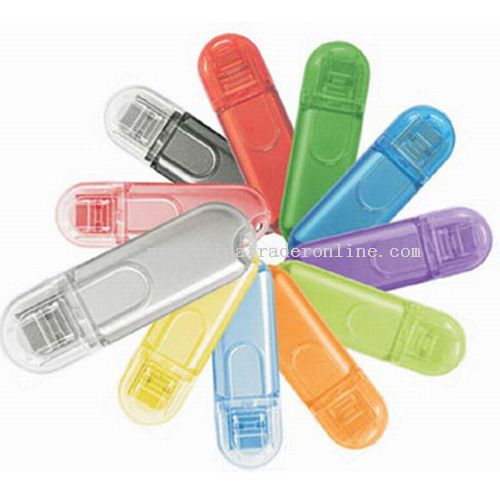
Flash is already a computer user needs in addition to CDs, Flashdisk serves to store data in formats that apupun and excess kepratisan tool which can be brought anywhere in the physical form of relatively small compared to the CD.

Flashdisk development is very fast start in terms of capacity, model, and features (mp3, mp4, etc.). These developments must be in the barengi with keamaan data therein in vain not to access by others. In fact, many vendors flesdisk makers less attention in this keamanaan, although there are some vendors that have features that can memfalitasi their data secure from unwanted people and of the virus.


For those of you who happen to have a flashsdisk not equipped with Softwere that can secure from viruses and from people you do not want do not be discouraged it, because there is a useful Softwere to protect your data residing on the flash and of the people you do not want.

Sofwere This is freeware, and created by the nation's children by Welly Samodra, Softwerenya can be found here, and how easy the install, you first open the file Bacadulu.txt and follow the steps provided.